
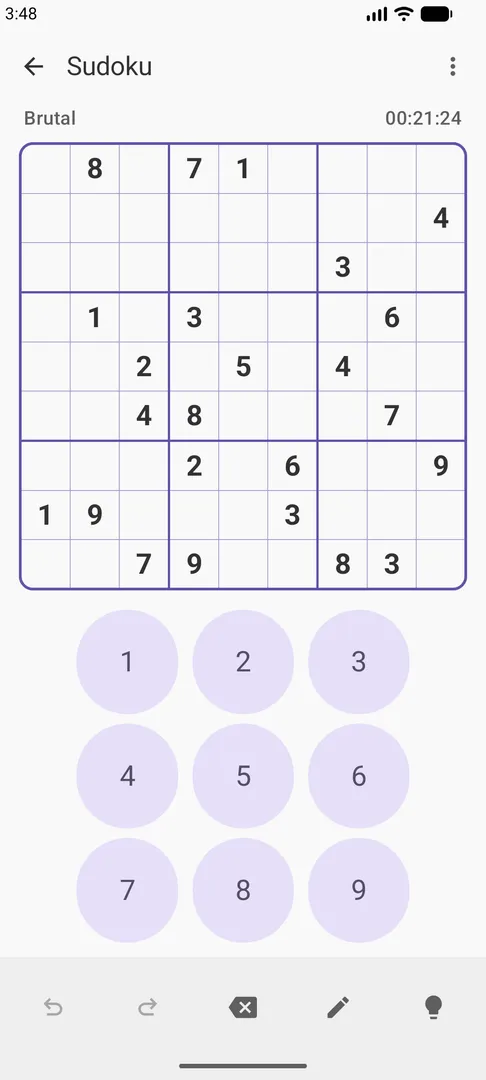
Sudoku You is a free, open-source Sudoku game for Android built for offline play and careful, logical solving. It generates classic 9×9 puzzles on your device, saves your games automatically and lets you import puzzles from text. When you get stuck, a human-style solver explains the next logical step instead of simply filling in the answer.
This page covers the F-Droid build, version 3.0.2, released on October 22, 2026. F-Droid compiles it from the published source code and signs it with its own key. Below you will find what the game offers, why it needs no permissions, how to install it, and who is likely to get the most out of it.
The game is licensed under GNU GPL v3.0 or later and is developed by Galaxy-rio. It requests no network permission and includes no ads, accounts, analytics or tracking.

What is Sudoku You?
Sudoku You is a classic 9×9 Sudoku app with a strong focus on solving technique. Puzzles are generated on the device, each with a unique solution, in four difficulty levels: Easy, Medium, Hard and Brutal. You can also bring in puzzles from elsewhere by importing them as text, and the app checks that an imported puzzle has a valid, unique solution before you start.
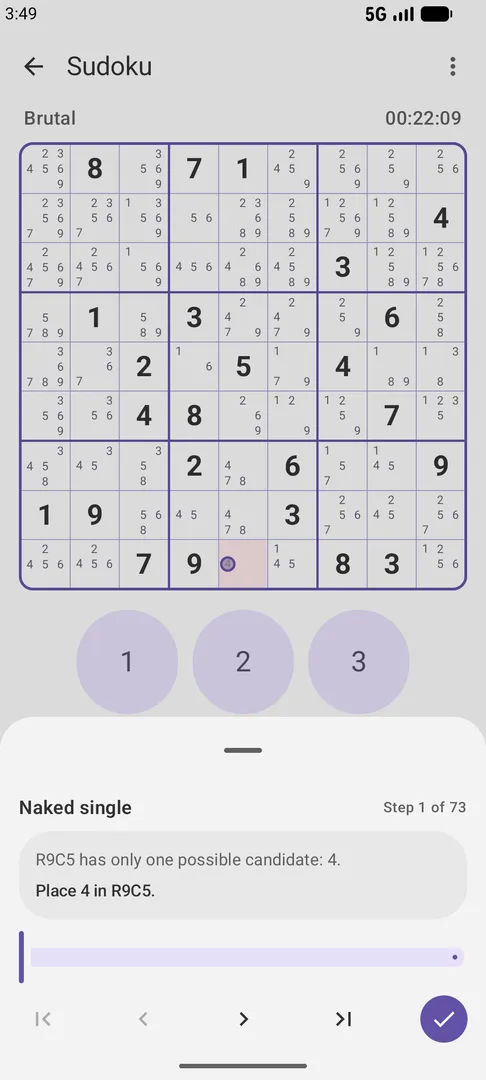
What sets Sudoku You apart from a basic Sudoku app is its solver. It works the way a person would, building a step-by-step logical trace with explanations and markings on the board. It covers basic techniques as well as advanced ones such as subsets, fish, wings, coloring, chains, unique rectangles and forcing chains. Optional checks can point out incorrect values or missing candidates before the solver continues.
The rest of Sudoku You supports that kind of careful play. Pencil marks and automatic candidates handle the bookkeeping, and advanced annotations let you color cells or candidates, highlight bivalue cells, frame cells and draw links. Undo, redo and restart are always available, and every game is saved locally so you can return to it later.
Sudoku You is designed to work entirely offline. It has no network permission at all, stores games and preferences on the device, and keeps crash reports locally for up to 30 days without uploading them. If you want to share a crash report with the developer, you decide when to copy or share it.
Key features of Sudoku You
On-device puzzle generation: Classic 9×9 puzzles are generated on your phone, each with a unique solution. Four difficulty levels are available: Easy, Medium, Hard and Brutal, so you can move up gradually as your solving improves.
Human-style logical solver: When you need help, the solver produces a step-by-step logical trace with explanations and board markings. It covers basic techniques plus advanced subsets, fish, wings, coloring, chains, unique rectangles and forcing chains.
Optional error and candidate checks: Before the solver continues, optional checks can point out incorrect values you have entered or candidates you are missing. This helps you see where your own reasoning went wrong.
Pencil marks and automatic candidates: You can enter pencil marks yourself or let the app fill in automatic candidates. Undo, redo and restart are included, so experimenting with a line of reasoning carries no risk.
Advanced annotations: Color cells or individual candidates, highlight bivalue cells, frame cells and draw solid or dashed links between them. These tools suit solvers who track chains and coloring patterns by hand.
Import and export in many formats: Import puzzles from text and export the original or current grid in Susser, multiline, pencilmark, Sukaku, Excel/TSV, OpenSudoku and HoDoKu formats. Imported puzzles are checked for a valid, unique solution.
Automatic saving and statistics: Recent and completed games are saved automatically. Statistics by difficulty track play time, best and average completion time, and the number of games started or completed.
Material 3 interface with deep theming: Choose system, light or dark mode, dynamic wallpaper colors, custom accents, palette styles and AMOLED black, plus several board highlighting options to make the grid easier to read.
Two languages, chosen independently: The app is available in English and Simplified Chinese, and you can pick its language separately from your system language.
Sudoku You permissions explained
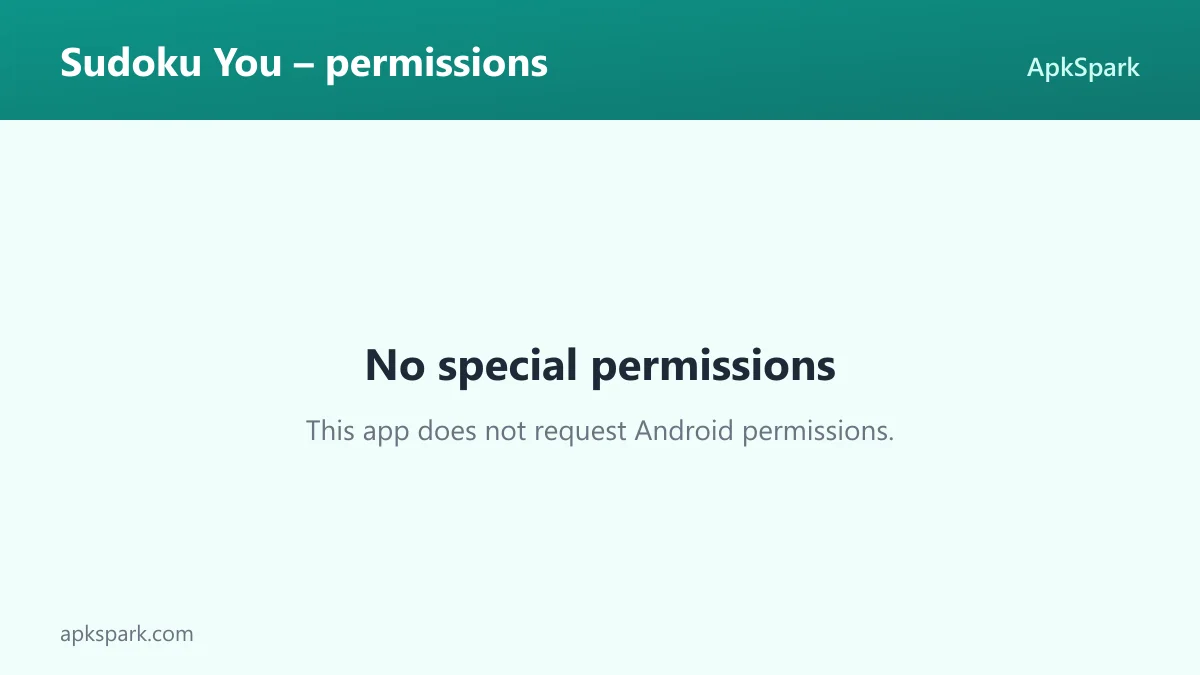
Sudoku You requests no special permissions. The F-Droid listing for this build shows an empty permission list, and the developer states that the app requests no network permission. That means it cannot connect to the internet at all.
On modern Android, sensitive permissions such as storage, camera, location or contacts are requested at runtime with a prompt you can refuse. With this app you will not see any of those prompts, because it does not ask for them. Games, preferences and crash reports all stay in the app's own storage on your device.
The lack of a network permission also explains how crash reporting works. Crash reports are kept locally for up to 30 days and are never uploaded automatically. If you want to send one to the developer, you copy or share it yourself, for example through the issue tracker.
How to download and install Sudoku You APK
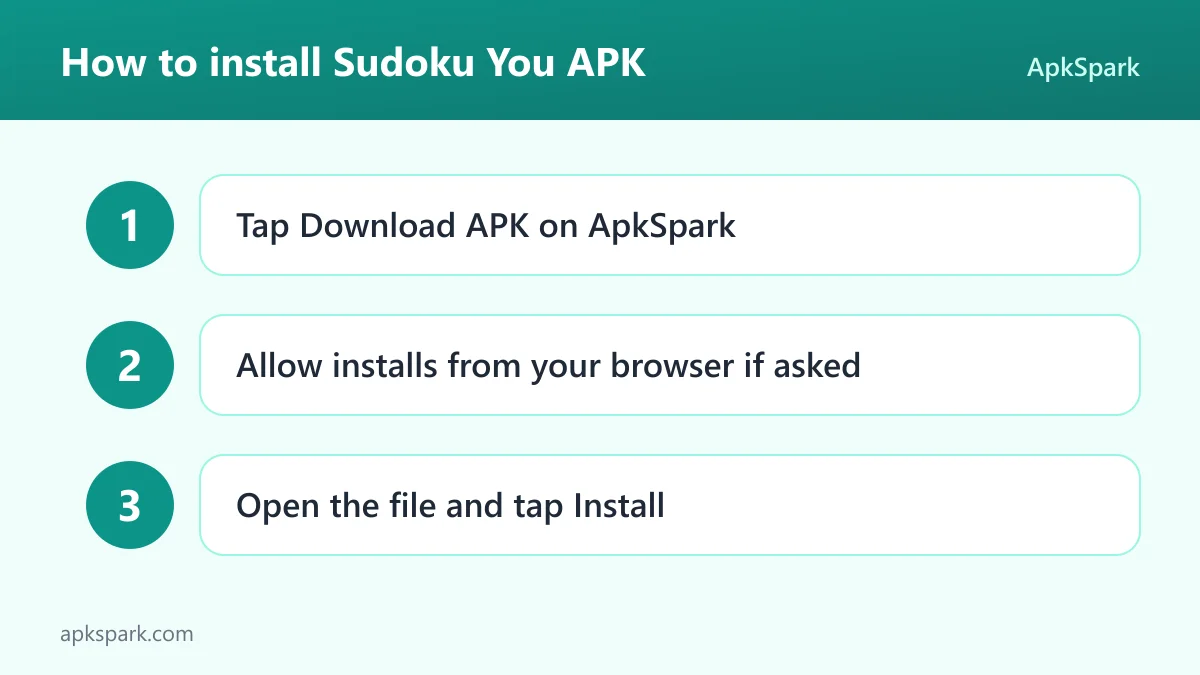
- Tap the Download button on this page.
- When Android asks, allow installs from your browser.
- Open the downloaded file.
- Tap Install.
- Open the app.
If this is your first time installing an app from outside an app store, our guide to installing APK files explains each step in more detail, including the prompt that asks you to allow installs from your browser. At 4.7 MB, the download is small enough to fetch quickly on any connection.
This Sudoku You APK is signed with the F-Droid key. If you already have the game from another source, Android may refuse to install this copy over it because the signatures differ. Uninstalling the old copy first works, but it deletes locally stored games and statistics, so export any puzzles you want to keep before you do it.
Is Sudoku You safe?
Here is what the facts say. Sudoku You is free and open source under the GNU GPL v3.0 or later. The full source code is public on GitHub, so anyone can check what the app does.
The APK on this page comes from F-Droid. F-Droid builds this APK from the published source code and signs it with the F-Droid key, and the file is downloaded from the official f-droid.org repository. You can compare details on the F-Droid listing.
F-Droid uses anti-feature labels to flag ads, tracking and similar issues, and the listing data for this game shows none. The developer also states that the app includes no ads, accounts, analytics or tracking. With no permissions requested, including no network access, there is very little the app can do outside its own storage.
Bug reports and feature requests go to the public issue tracker. The app also shows local crash history and third-party open-source license information inside the app.
Sudoku You system requirements
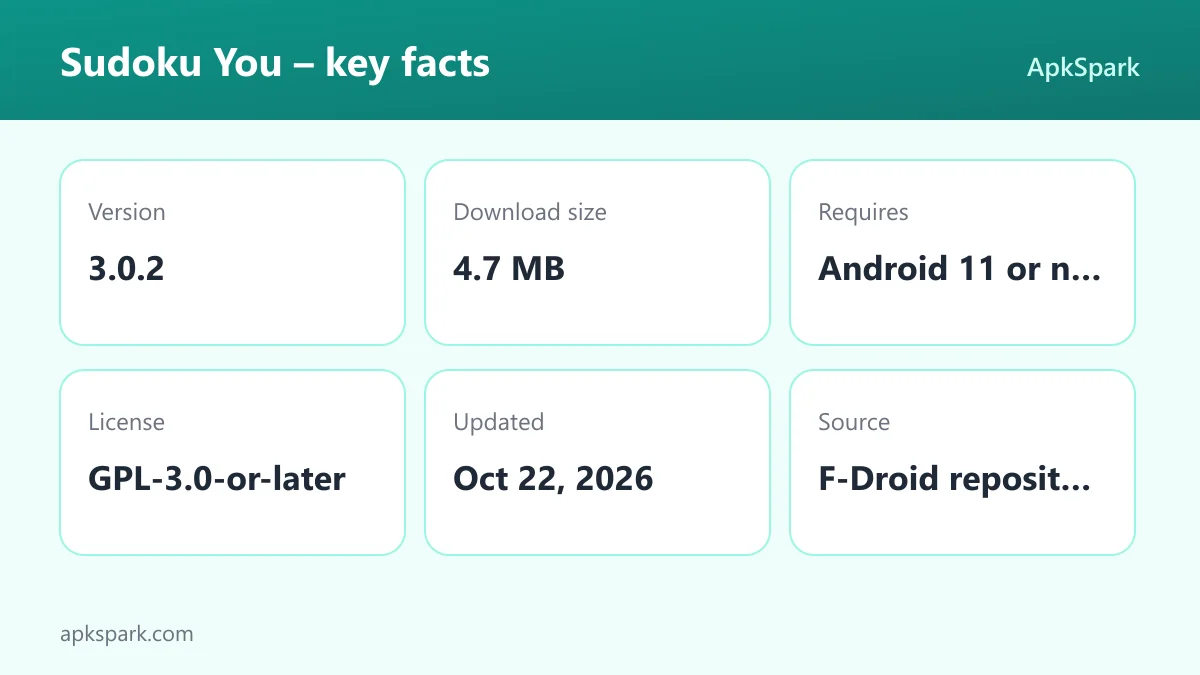
- Minimum Android version: Android 11 or newer.
- Download size: 4.7 MB.
- Supported ABIs: arm64-v8a, armeabi-v7a, x86 and x86_64.
- Version: 3.0.2.
- Release date: October 22, 2026.
- RAM and storage after install: not documented.
Android 11 is a higher minimum than many puzzle games require, so Sudoku You will not install on older phones that stop at Android 10 or earlier. If your device meets that bar, the four supported ABIs cover 32-bit and 64-bit ARM devices as well as x86 hardware. The small download size means it takes up little space.
Solving a hard puzzle with Sudoku You
Here is how a typical session on a Hard or Brutal puzzle might go. You generate a new puzzle and turn on automatic candidates so you do not have to fill in every pencil mark yourself. You work through the easy placements first, then reach a point where no single digit is obvious.
At that stage, the annotation tools in Sudoku You come into play. You might highlight bivalue cells to spot a pattern, color candidates to try a coloring argument, or draw solid and dashed links to follow a chain. Undo and redo make it safe to test an idea and step back if it leads nowhere.
If you are truly stuck, you ask the solver for help. With the optional checks turned on, it first tells you if one of your entries is wrong or a candidate is missing. Then it shows the next logical step with an explanation and markings on the board, such as a wing or a unique rectangle. You learn the technique instead of just receiving the answer.
When you finish, the game is saved as completed and your time feeds into the statistics for that difficulty. Over time you can compare your best and average completion times and see how many games you have started and completed.
Importing and exporting puzzles in Sudoku You
The import and export tools make Sudoku You useful beyond its own puzzle generator. If you find a puzzle in a book, a forum post or another app, you can import it as text. The app checks that it has a valid, unique solution, so you will not waste time on a broken grid.
Exports work in both directions: you can save the original puzzle or the current state of the grid. Supported formats are Susser, multiline, pencilmark, Sukaku, Excel/TSV, OpenSudoku and HoDoKu. The pencilmark and Sukaku options keep candidate information, which is handy if you want to continue a puzzle in another tool or ask someone else for help with a specific position.
Because the app has no network access, sharing works through your device's normal copy and share functions rather than through any online service built into the game. Text-based formats like Susser or multiline are the simplest to paste into a message or a note, while Excel/TSV suits anyone who keeps puzzle collections in a spreadsheet.
Customizing the look of Sudoku You
Sudoku You uses a Material 3 interface, and it offers more appearance options than most puzzle games. You can follow the system theme or force light or dark mode. Dynamic wallpaper colors let the app pick up the palette of your home screen, while custom accents and palette styles let you set colors yourself.
For phones with OLED screens, the AMOLED black option makes the background fully black. Board highlighting options control how the grid draws attention to related cells, which matters a lot in Sudoku, where you constantly scan rows, columns and boxes. It is worth trying a few combinations during an Easy puzzle until the board feels comfortable to read.
Language is handled separately too. The app is available in English and Simplified Chinese, and you can choose its language independently of your system language. That is useful if your phone is set to one language but you prefer to read the solver's explanations in the other.
Saved games and statistics in Sudoku You
Every game in Sudoku You is saved automatically. Recent games appear so you can pick up exactly where you left off, and completed games are kept as well. There is no manual save step, and closing the app does not lose your progress.
Statistics are split by difficulty. For each level you can see play time, best and average completion time, and how many games you have started and completed. Comparing the started and completed counts is a quick way to see which difficulty is still beyond your reach, while the average time shows steady improvement better than a single best time does.
All of this data lives on the device only. Since the app has no accounts and no network access, there is no cloud sync. If you change phones, the export tools are the way to carry interesting puzzles with you, but your statistics stay behind.
Who should use Sudoku You?
Sudoku You suits Sudoku players who want to get better at logic rather than guess. The human-style solver explains advanced techniques such as fish, wings, chains and forcing chains, so it works as a teacher as much as a helper. The Brutal difficulty and the advanced annotations give experienced solvers room to stretch.
Sudoku You is also a good fit for anyone who values privacy or plays offline. The app requests no permissions, has no ads, accounts, analytics or tracking, and stores everything on the device. That makes it easy to recommend for commutes, flights or a child's tablet.
If your phone runs Android 10 or older, Sudoku You will not install. And if you want online leaderboards, daily challenges or puzzle variants beyond classic 9×9, none of those are documented for this game.
Tips for getting started with Sudoku You
Start at Easy or Medium: Generated puzzles come in four levels. Begin below your comfort zone to learn the controls and annotation tools before trying Hard or Brutal.
Turn on optional checks when learning: The checks point out wrong values and missing candidates before the solver continues, which shows you exactly where a mistake crept in.
Read the solver's explanation, not just the move: The trace explains each step and marks the board. Reading it carefully is the fastest way to learn new techniques.
Pick a theme that suits your screen: Try AMOLED black on phones with OLED screens and adjust the board highlighting options until the grid is easy to read.
Export puzzles you want to keep: Before uninstalling or switching devices, export interesting grids in a format such as HoDoKu or OpenSudoku, since all data is stored locally.
Check your statistics by difficulty: Best and average times per level show whether you are ready to move up a difficulty.
Alternatives to Sudoku You
No related apps are listed for this page yet. If you want to compare other logic and number games, browse more Puzzle apps on ApkSpark and look at what else is available in that category.
Final verdict
Sudoku You is a focused, offline Sudoku app with on-device puzzle generation, four difficulty levels, a human-style solver that explains advanced techniques, and import and export in seven formats. The F-Droid build is open source, requests no permissions and weighs only 4.7 MB.
If your phone runs Android 11 or newer and you enjoy classic Sudoku, it is an easy recommendation, especially if you want to learn harder techniques. It is less suited to anyone looking for online features or puzzle variants.