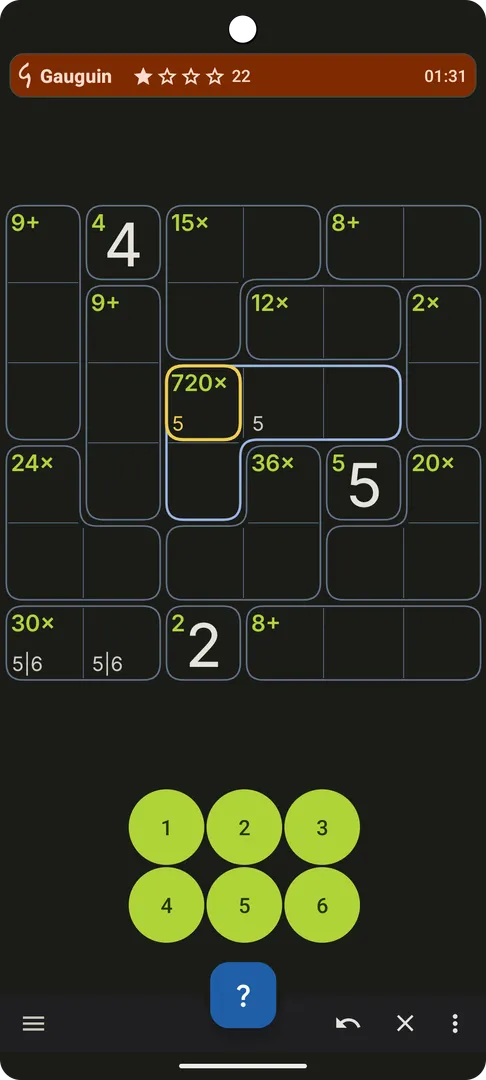
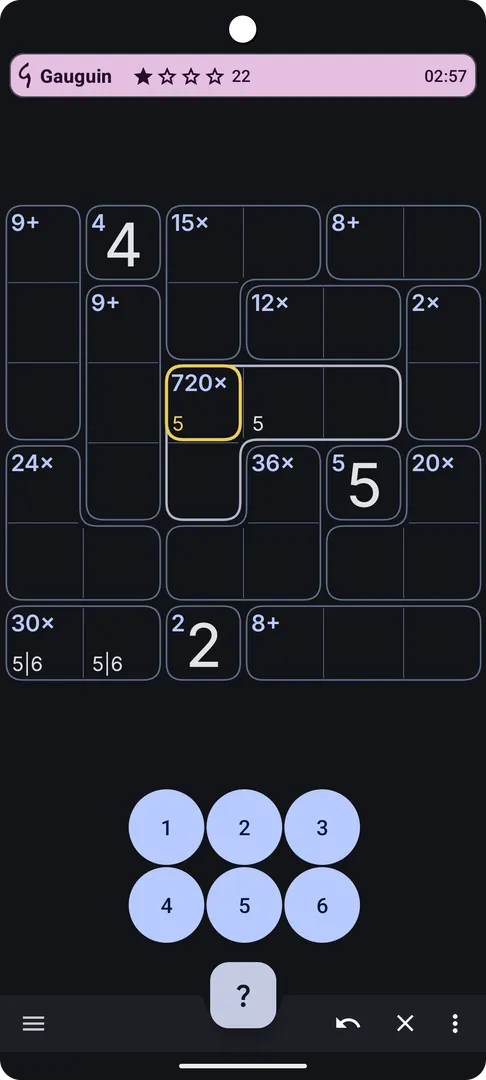
Gauguin is a free, open source logic puzzle for Android that plays like Sudoku but asks you to do arithmetic as well as deduction. You fill a grid with digits so that no row or column repeats a value, and every outlined group of cells, called a cage, has to match a small math clue such as "5+".
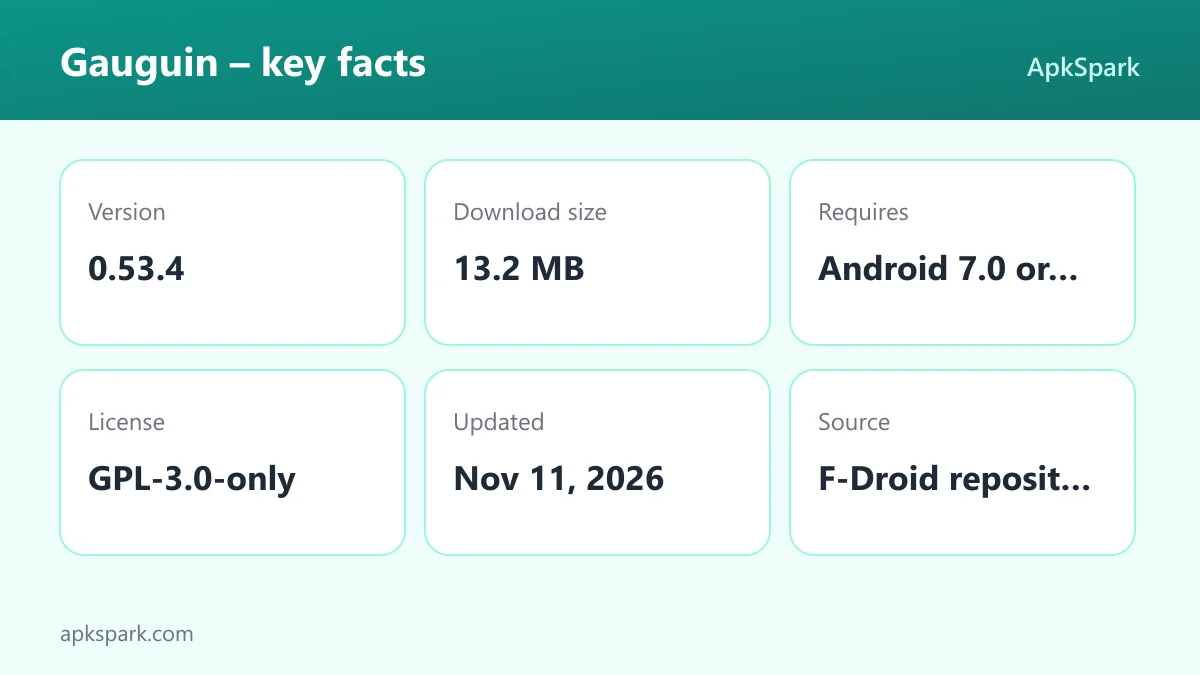
Gauguin is developed by Meik Piepmeyer and released under the GPL-3.0-only license. The APK offered on this page is the build published through F-Droid, which compiles it from the public source code. Version 0.53.4 is about 13.2 MB and runs on Android 7.0 or newer.
This article explains how the puzzle works, what the game options change, what the app asks of your device, and who is likely to enjoy it. It also lists the rough edges the developer openly documents, so you know what to expect before you install it.
What is Gauguin?
Gauguin is a Sudoku-like game where you solve grids through calculation and logic. The developer describes two ways to use Gauguin: as something relaxing to pick up, or as a source of grids that you personally find difficult. The difficulty is in your hands, because the options let you shape the puzzle quite a lot.
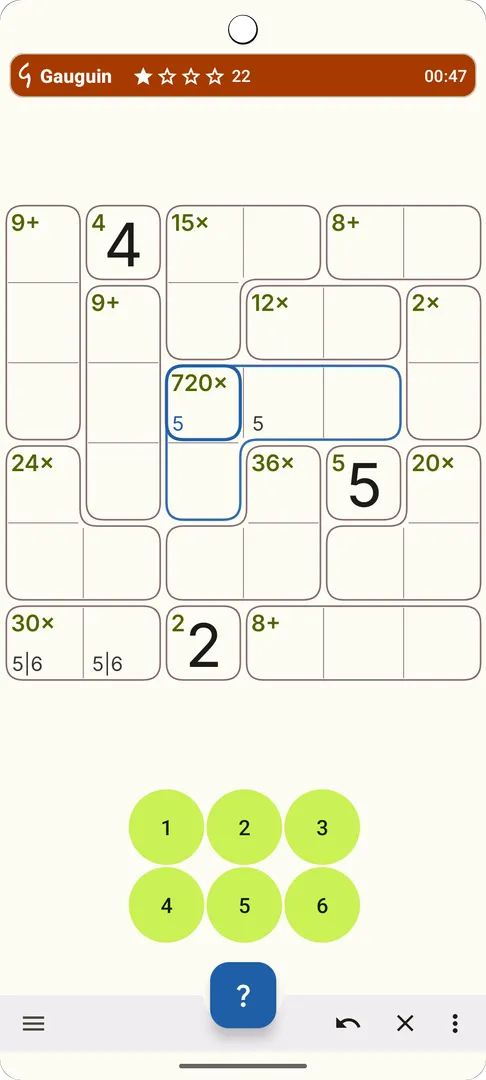
In classic mode you work on a 9x9 grid. You type a value from 1 to 9 into each cell. Two rules must hold at the same time. First, each row and each column contains each digit exactly once, just like Sudoku. Second, each cage must satisfy its mathematical problem.
A cage is a group of neighboring cells with a label in one corner. The label combines a target number and an operation. For example, a cage labeled "5+" must be filled so that the sum of all its digits is 5. With the four basic operations available, cages can also ask for a difference, a product or a quotient.
That combination of rules is what makes Gauguin different from plain Sudoku. You cannot rely only on scanning rows and columns for missing digits. You have to think about which sets of digits can produce a target, then cross those possibilities against what each row and column still allows.
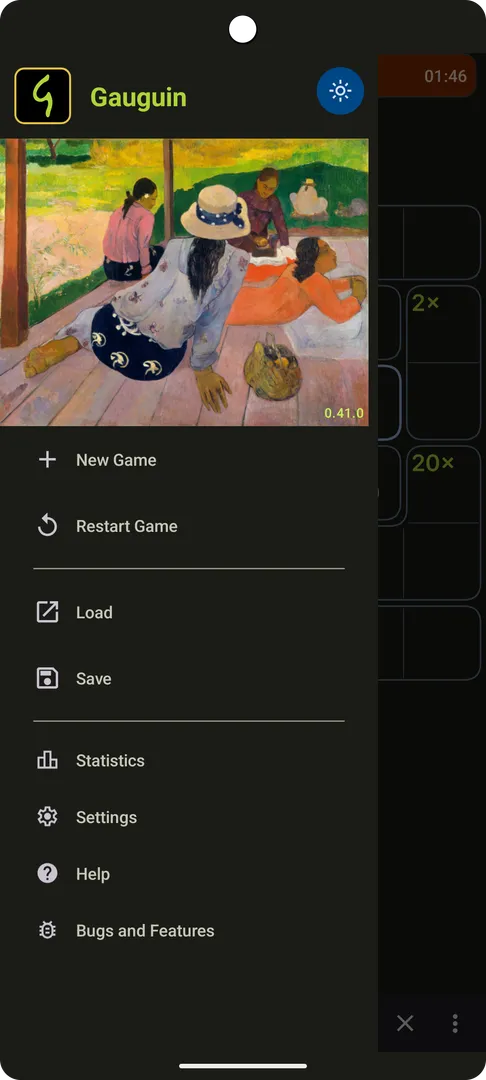
The name comes from the French painter Paul Gauguin. The app uses colors taken from his painting "The Siesta", which the developer points out with a small joke in the description about where the name came from. The result is a palette that sets the game apart from the plain black-and-white look of many number puzzles.
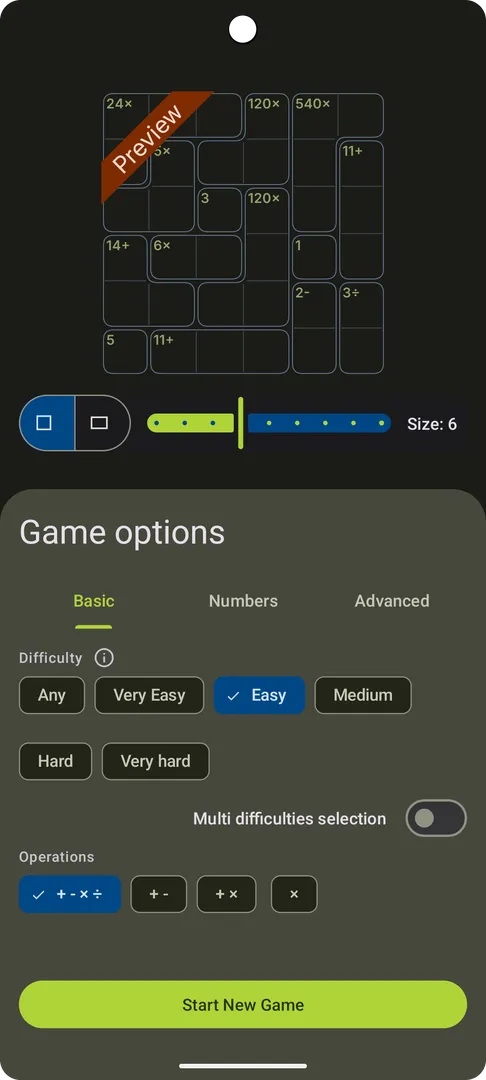
Beyond the classic setup, the Gauguin options let you solve with other digits, use smaller or larger grids, and hide the operators so that only the target numbers are shown. Those switches are covered in the features section below.
How a typical solve goes
A Gauguin grid usually starts with the cages that have the fewest possible fillings. A two-cell "3+" cage on a classic grid can only hold 1 and 2, in some order. You mark both as pencil marks in both cells, then check the row and column for each cell to see whether either digit is already used.
From there you work outward. Each placed digit removes options in its row and column, which in turn narrows the cages that cross them. Multiplication cages are often useful early, because large products have few factor combinations. The puzzle is finished when every cell holds a value and every cage clue checks out.
Key features of Gauguin
- Arithmetic cages on a Latin square: Every row and column holds each digit exactly once, and every cage must meet its math clue. A "5+" cage, for instance, must add up to 5. This mix of Sudoku-style placement and calculation is the core of the game and the reason it feels different from standard number puzzles.
- Grid sizes from 3x3 to 11x11: The classic grid is 9x9, but you can drop down to a tiny 3x3 board for a quick warm-up or move up to 11x11 when you want a long session. Smaller grids are a good way to learn how cages work before tackling the full classic size.
- Rectangular grids: The options include grids that are not square, such as 7x9. This changes the feel of the puzzle, because rows and columns no longer have the same length. It is one of the less common variants and gives experienced players something new to work through.
- Choice of operations: You decide which operations appear in cages: addition, subtraction, multiplication and division. Limiting a game to addition makes it gentler, while enabling all four forces you to consider many more digit combinations for each clue, especially in cages that use multiplication or division.
- Alternative digit sets: Instead of the usual 1 to n, you can play with other sets, such as prime numbers or the Fibonacci sequence. The rules stay the same, but the arithmetic changes, so familiar habits from classic mode stop working and you have to recalculate which values fit each cage.
- Difficulty setting and single cells: In Gauguin, a difficulty option covers an increasing number of game variants, and a separate option controls the use of single cells, which are one-cell cages. Turning single cells off removes those free starting clues, so you begin with less given information and have to reason further before you place anything.
- Show or hide operators: You can hide the operation symbols and leave only the target numbers in each cage. Then you must work out whether a cage is a sum, difference, product or quotient as part of solving it, which adds a second layer of deduction to every clue.
- Tap-based input with no pencil mode: There is no pencil mode to switch on and off. A short tap toggles a possible value as a pencil mark, and a long tap sets a known value. This keeps your notes and your answers on the same simple gestures, so you spend less time changing modes.
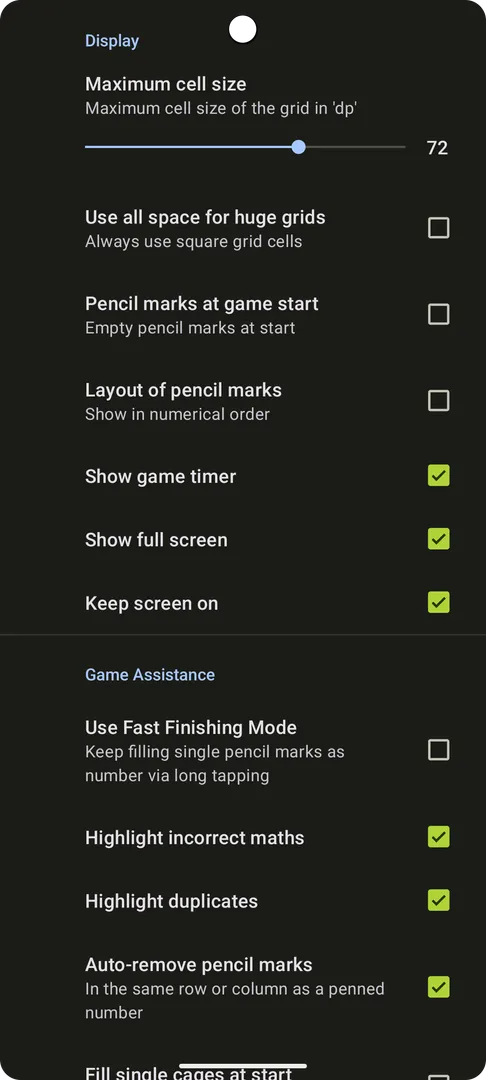
- Fast Finishing Mode: When this option is turned on in the preferences, you can quickly fill any cell that has exactly one pencil mark left. It is meant for the end of a puzzle, when many cells are already narrowed down to one candidate and confirming them one by one would be slow.
- Colors from "The Siesta": The interface uses colors from Paul Gauguin's painting "The Siesta". The developer describes the user interface as slick and modern, and the painting-based palette gives the board a distinct look compared with plain monochrome number puzzles.
Gauguin permissions explained
According to its listing, Gauguin requests no special permissions. There is no request for internet access, location, contacts, storage, the camera or the microphone. It is a self-contained puzzle that generates and displays grids on your device.
On modern Android versions, sensitive permissions are asked for at runtime, in a dialog that appears when an app first needs them. Since this app does not declare any, you should not see such prompts while playing. If a future version ever adds a permission, Android will show it during an update or at the moment it is used.
An empty permission list is a useful signal for a puzzle game. It means the app has no declared way to reach the network or read personal data, which suits people who want a game that simply runs offline on the phone.
How to download and install Gauguin APK
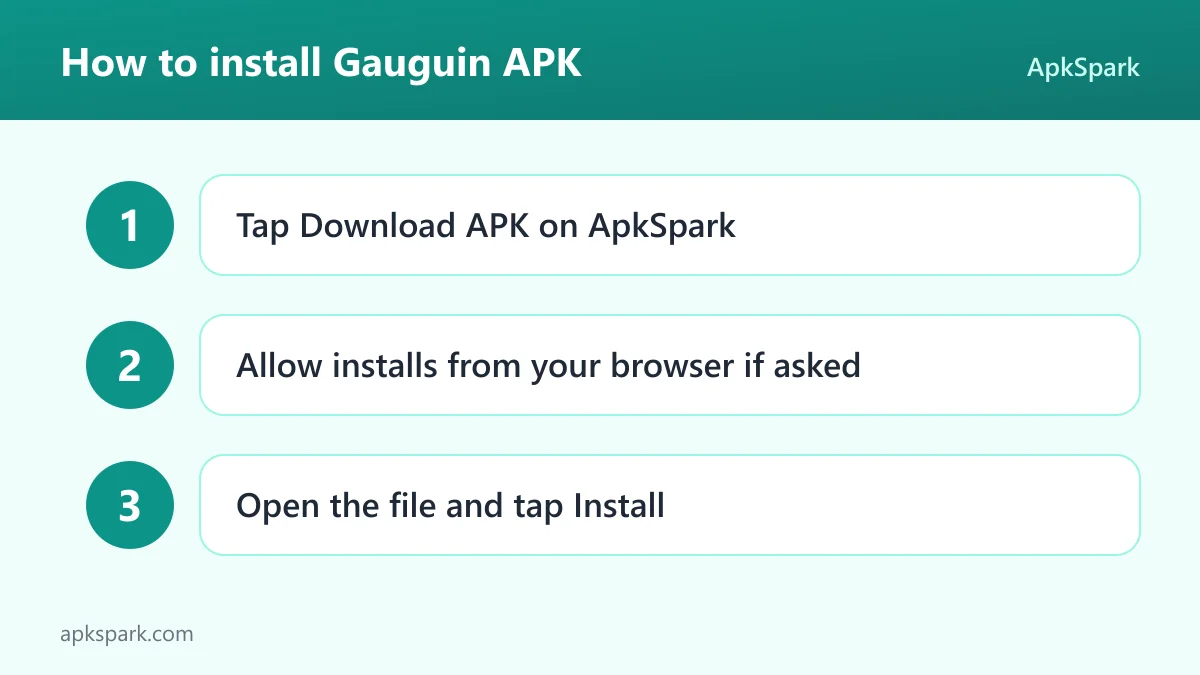
- Tap the Download button on this page to get the APK file.
- If Android asks, allow your browser to install apps from this source. This option is often called "Install unknown apps".
- Open the downloaded file from your notifications or your Downloads folder.
- Tap Install and wait for Android to finish.
- Open the app from your home screen or app drawer and start a puzzle.
If you have not installed an app outside an app store before, read our guide to installing APK files. It walks through the permission prompt for each browser, explains where downloaded files end up, and covers what to do if Android blocks the installation or reports that the package cannot be parsed.
Is Gauguin safe?
Gauguin is released under the GPL-3.0-only license. This is a free software license, which means the full source code is public and anyone may study, modify and share it under the same terms. You can read the code yourself on the project's source code repository on GitHub.
The APK on this page comes through F-Droid. F-Droid builds this APK from the published source code and signs it with the F-Droid key. The file is downloaded from the official f-droid.org repository. You can check the F-Droid listing for the game to compare the package name and version.
Because the build is made from public code, what you install corresponds to code that anyone can review. That is not the same as a guarantee that the software has no bugs, but it does mean nothing is hidden from people who want to look.
F-Droid flags apps with "anti-features" when they contain things like advertising, tracking or a dependence on non-free network services. No anti-features are listed for Gauguin. Combined with the empty permission list, that gives a clear picture of a puzzle that does not need anything from you beyond your attention.
If you find a problem, the developer runs a public issue tracker where bugs and requests are handled in the open. There is also an official website for the project.
Gauguin system requirements
- Minimum Android version: Android 7.0 or newer.
- Download size: 13.2 MB.
- Supported ABIs: universal, so the same file works on all devices regardless of processor architecture.
- Version: 0.53.4.
- Release date: November 11, 2026.
The download is small enough to fit easily on most phones, and the universal build means you do not need to pick a variant for your processor. Hardware requirements such as RAM or screen size are not documented. Since the larger grids go up to 11x11, a bigger screen may make those boards more comfortable to read, but smaller grids work on any display.
Who should use Gauguin?
Gauguin suits people who already like Sudoku and want something that asks a bit more. The row and column rule will feel familiar, while the cage clues add arithmetic and give each puzzle a different shape. If plain Sudoku has started to feel routine, the extra layer of calculation is a natural next step.
It also fits people who enjoy tuning a puzzle to their taste. The options cover grid size, rectangular boards, operations, digit sets, difficulty, single cells and hidden operators. You can make it a calm five-minute 4x4 or a demanding 11x11 with all operations and the operators hidden. Few puzzle apps give you that much control over a single rule set, and Gauguin keeps all of it in one place.
If you want a puzzle with no network access and no permission requests, Gauguin is a good match. It is also a reasonable choice for people who prefer free software, since the code is public under GPL-3.0-only and the build comes from F-Droid. Players who need a guided tutorial should note that the developer lists one as still missing.
Tips for getting started with Gauguin
- Start small: Pick a 4x4 or 5x5 grid with only addition enabled. You will see how cages interact with rows and columns without the extra arithmetic, then you can move up to the classic 9x9 once the logic feels natural.
- Learn the two taps early: A short tap toggles a possible value as a pencil mark, and a long tap sets a known value. Practice both on an easy grid so that the gestures feel automatic before you face harder puzzles where you take a lot of notes.
- Turn on Fast Finishing Mode: Enable it in the preferences. Near the end of a grid, many cells have only one pencil mark left, and this mode lets you fill those quickly instead of confirming each one with a long tap.
- Try hiding the operators on a small grid first: Hidden operators are much harder on a 9x9 board. On a 4x4 grid you can see how a target such as 2 might come from a difference or a quotient, and build the habit of testing each operation in turn.
- Use single cells while learning: One-cell cages give you fixed values to start from. Keep them on while you learn, then turn them off when you want puzzles that start with less information.
- Add variants one at a time: Try hidden operators, prime numbers, the Fibonacci sequence or a rectangular grid like 7x9 separately. Changing one option at a time makes it easier to understand what each variant does to the puzzle.
Known limitations
The Gauguin developer is open about what is still unfinished. The description lists four items under "Things still to be done", and they are worth knowing before you install.
- Slow grid generation for some variants: Not all grid variants get calculated in a reasonable time. Unusual combinations of size, digits and operations may take longer to produce a new puzzle than the classic setup does.
- No tutorial yet: The on-boarding is missing a tutorial. New players have to learn the rules from the game itself or from a description such as the one in this article.
- Partial difficulty ratings: Not all game variants have been supplied with difficulty ratings yet, so the difficulty label may be less precise for some option combinations.
- Rare grid calculation issues: Calculation of the next grid is not bullet proof in some rare circumstances. If you run into a problem, reporting it on the issue tracker helps the developer fix it.
Alternatives to Gauguin
No related apps are listed for Gauguin at the moment. If you want to compare it with other logic and number games, you can browse more Puzzle apps on ApkSpark. That category collects other puzzle games available as direct APK downloads, so you can check what each one requires before installing.
When comparing, look at the same points covered here: the license, where the APK is built, the permissions it requests, and whether any anti-features are flagged. Those details tell you a lot about how a puzzle app behaves on your phone.
Final verdict
Gauguin takes the familiar Sudoku rule of one digit per row and column and adds arithmetic cages, then lets you reshape the whole thing with grid sizes from 3x3 to 11x11, rectangular boards, four operations, unusual digit sets and hidden operators. The two-tap input and Fast Finishing Mode keep play quick, and the palette from "The Siesta" gives it a look of its own.
Gauguin requests no permissions, has no listed anti-features, and comes as an F-Droid build of GPL-3.0-only source code. The missing tutorial and slow generation for some variants are real gaps, but the developer documents them openly. If you like number logic and want a puzzle you can tune, it is well worth the 13.2 MB download.