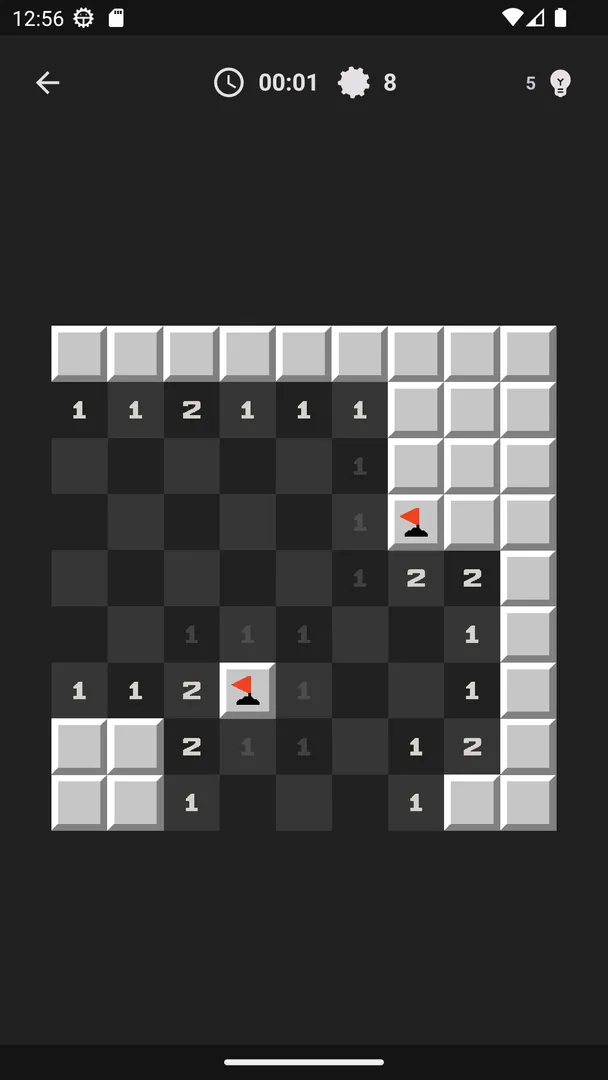
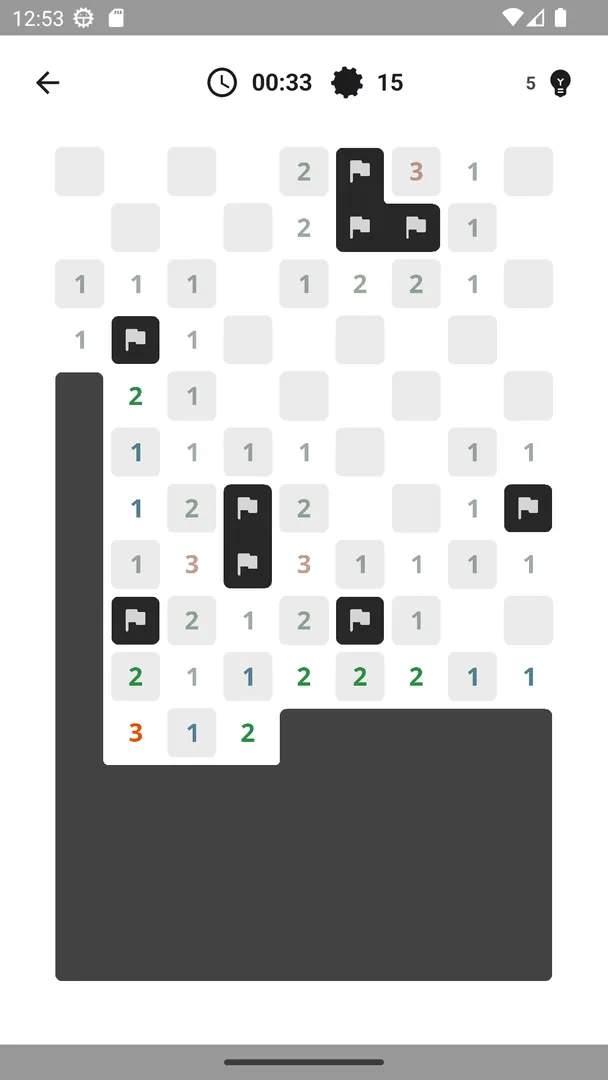

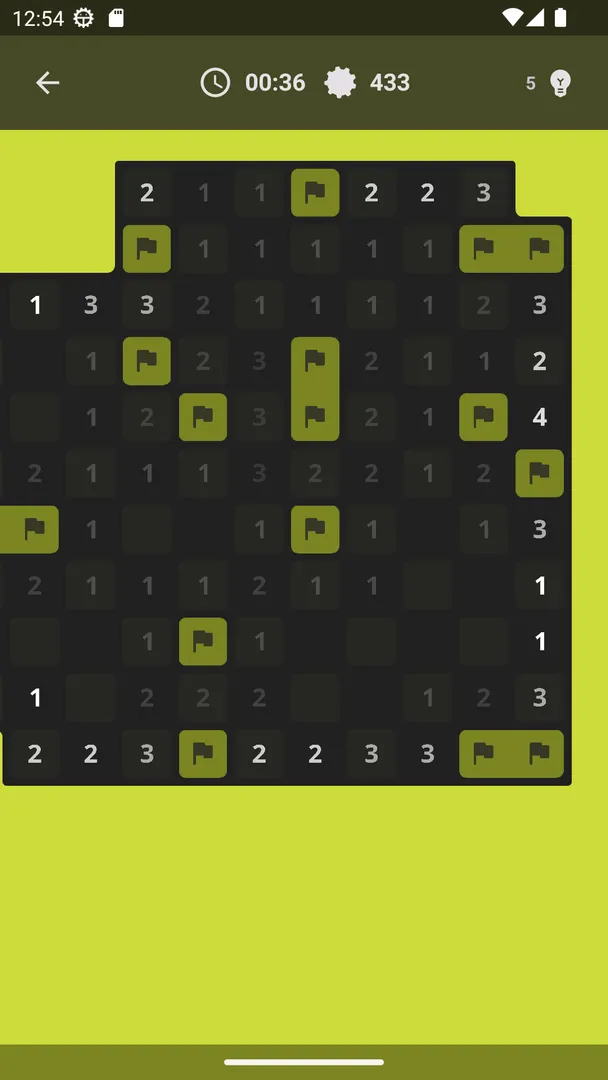
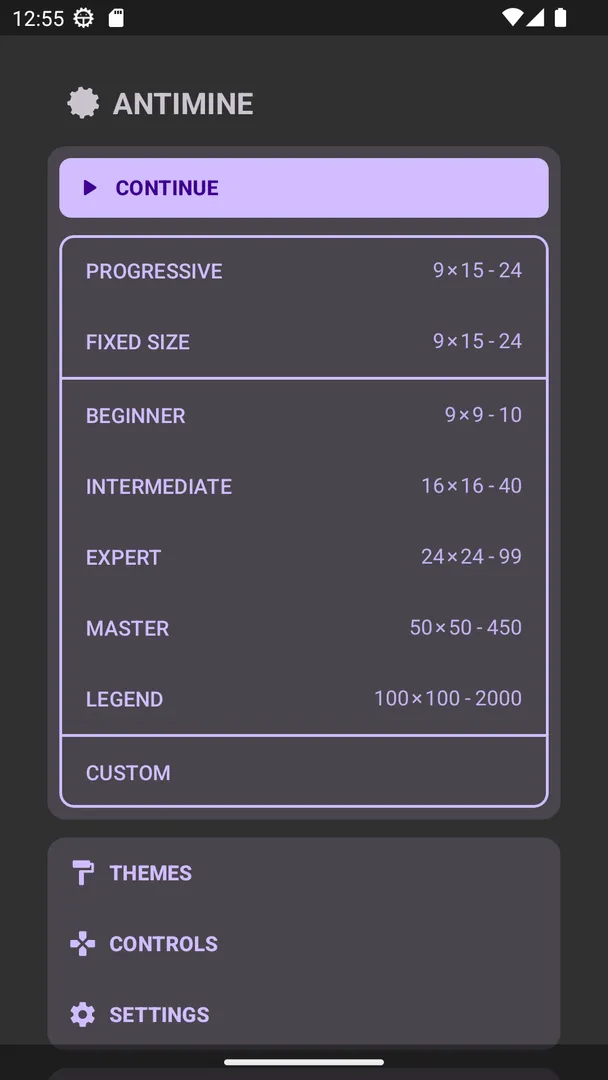
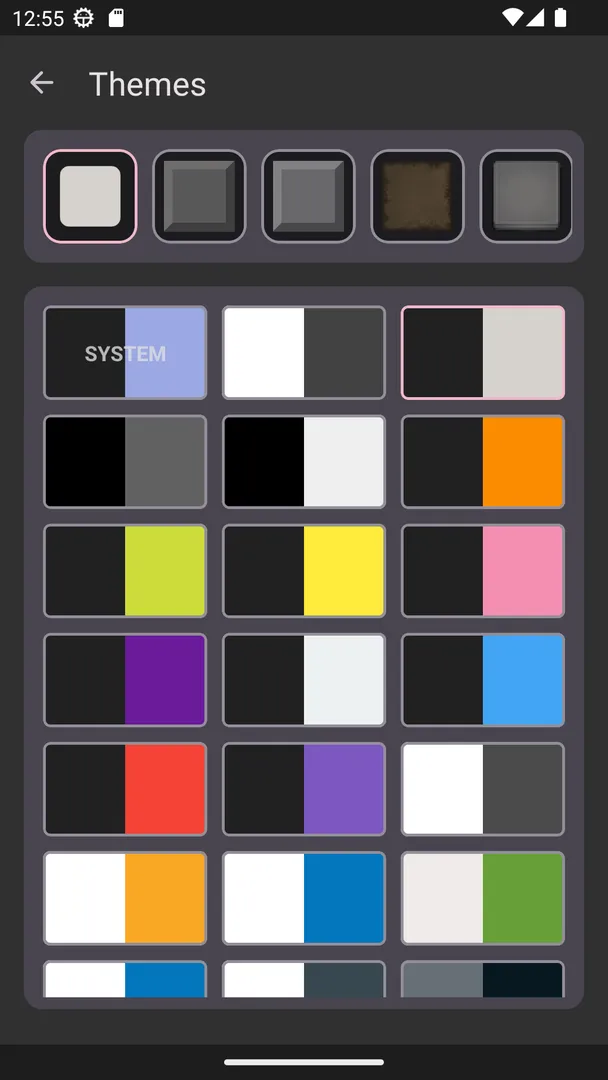
Minesweeper - Antimine is a minimalist, modern take on classic Minesweeper for Android, built around one promise: every minefield it creates can be solved without guessing. You clear the board by flagging every mine, and an algorithm makes sure logic alone is enough to find the last one.
Beyond the classic Beginner, Intermediate and Expert levels, the app adds a progressive mode that gets harder each time you win, a custom level editor, more than 15 themes, statistics and a game assistant that flags isolated squares for you. It works offline and saves your game automatically.
This page covers what this Minesweeper app offers, the single permission it uses, how to install the APK, how the build is produced and what your device needs to run it.

What is Minesweeper?
Minesweeper is a logic puzzle played on a grid of covered squares. Some squares hide mines. When you open a safe square, it shows a number that tells you how many mines touch it, counting all eight neighbors. You use those numbers to work out which squares are safe and which hide mines, then mark the mines with flags. Open a mine and the game ends.
Antimine, developed by Lucas Nunes, keeps that formula and strips away clutter. The description calls it "a minimalist and modern version of the classic Minesweeper." The look is clean, and the description stresses a lightweight app size. You win when you have flagged every mine in the field without triggering one.
The feature that sets it apart is its no-guessing generator. In many versions of the game, you sometimes reach a point where two squares are equally likely to hide a mine and you have to gamble. Antimine uses an algorithm that always creates solvable minefields, so a careful player never has to guess where the last mine is.
The game is open source under the GPL-3.0-only license, and the APK on this page is built by F-Droid from the published code.
Key features of Minesweeper
- No-guessing minefields: An algorithm generates only boards that can be solved through deduction. You will not be forced into a coin-flip at the end of a round, so a loss always comes from a mistake you could have avoided rather than from bad luck. This is the main reason to choose this version.
- Classic levels plus a progressive mode: You can play the familiar Beginner, Intermediate and Expert levels. There is also a progressive mode that gets harder each time you win, which gives you a steady difficulty curve without picking settings by hand before every game.
- Custom level: If the standard modes are not enough, you can create your own difficulty. This is useful when Intermediate feels too easy but Expert takes longer than the time you have, or when you want to practice on a specific board shape.
- More than 15 themes: The game includes more than 15 visual themes, including light, dark and AMOLED options. The AMOLED theme is a good fit for phones with OLED screens, and the dark theme helps when you play at night.
- Tutorial and tips: If you have never played before, a tutorial level teaches the rules, and you can enable Tips in the settings. Together they make the game approachable for players who only know the classic version by name.
- Statistics: The app records your results so you can check how you are developing over time. That gives you a reason to come back to the same level and see whether your win rate or speed improves.
- Game assistant: The game can automatically flag squares you have already isolated. When the numbers around a square prove it must be a mine, the assistant marks it, which saves taps on large boards and lets you focus on the harder deductions.
- Customization and four control schemes: You can adjust help, animations, haptic feedback and question-mark use. There are four different control schemes, for example flagging with a tap or with a long press, so you can pick the input style that causes the fewest accidental openings.
- Achievements and leaderboards: The description lists eight achievements to unlock and different leaderboards to share with friends. They add a light layer of goals on top of the basic puzzle for players who like tracking milestones.
- Offline play and auto-save: You do not need to be online to play. The game saves automatically, so you can start a board, leave the app and continue the same game later.
Minesweeper permissions explained
The app requests a single permission:
- Control vibration: This lets the app make the device vibrate. It is used for haptic feedback, which the description lists as one of the options you can change in settings. If you turn haptic feedback off, the game simply stops using it.
Control vibration is not a sensitive permission, so Android grants it to Minesweeper at install time without a prompt. On modern Android, sensitive permissions such as location, camera, microphone or contacts are requested at runtime, and this game asks for none of them. It also does not list internet access, which fits the description's point that you can play fully offline.

How to download and install Minesweeper APK
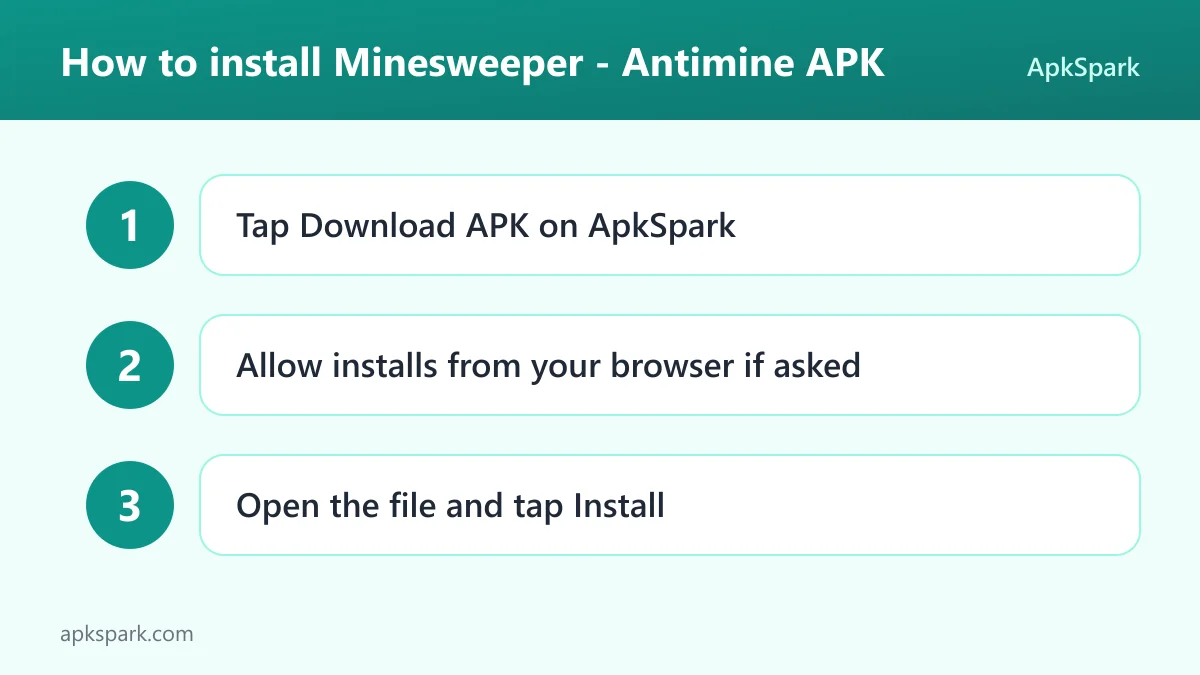
- Tap the Download button on this page to get the APK file.
- When Android asks, allow installs from your browser (often labeled "Install unknown apps").
- Open the downloaded file from your notifications or the Downloads folder.
- Tap Install and wait for it to finish.
- Open the app and start with the tutorial or a Beginner board.
If Android blocks the file or you have not sideloaded an app before, read our guide to installing APK files. It explains the unknown-apps setting on different Android versions and what to do when an installation fails.
Is Minesweeper safe?
The best way to judge this Minesweeper game is by how it is licensed, built and distributed. Antimine is released under the GPL-3.0-only license, which means its source code must remain available. You can read the full source code on GitHub, and bugs are tracked publicly on the issue tracker.
The APK on this page is the F-Droid build. F-Droid builds this APK from the published source code and signs it with the F-Droid key, and the file is downloaded from the official f-droid.org repository. You can check the package details on the F-Droid listing.
F-Droid lists no anti-features for this app. In practice that means F-Droid does not flag it for ads, tracking or non-free dependencies. The single permission, vibration control, cannot read your files, contacts or location.
Note on signing: since F-Droid signs the APK with its own key, it cannot update a copy signed by a different source. If you already have Antimine from another store, uninstall it before installing this build. Your local statistics may not carry over.
Minesweeper system requirements
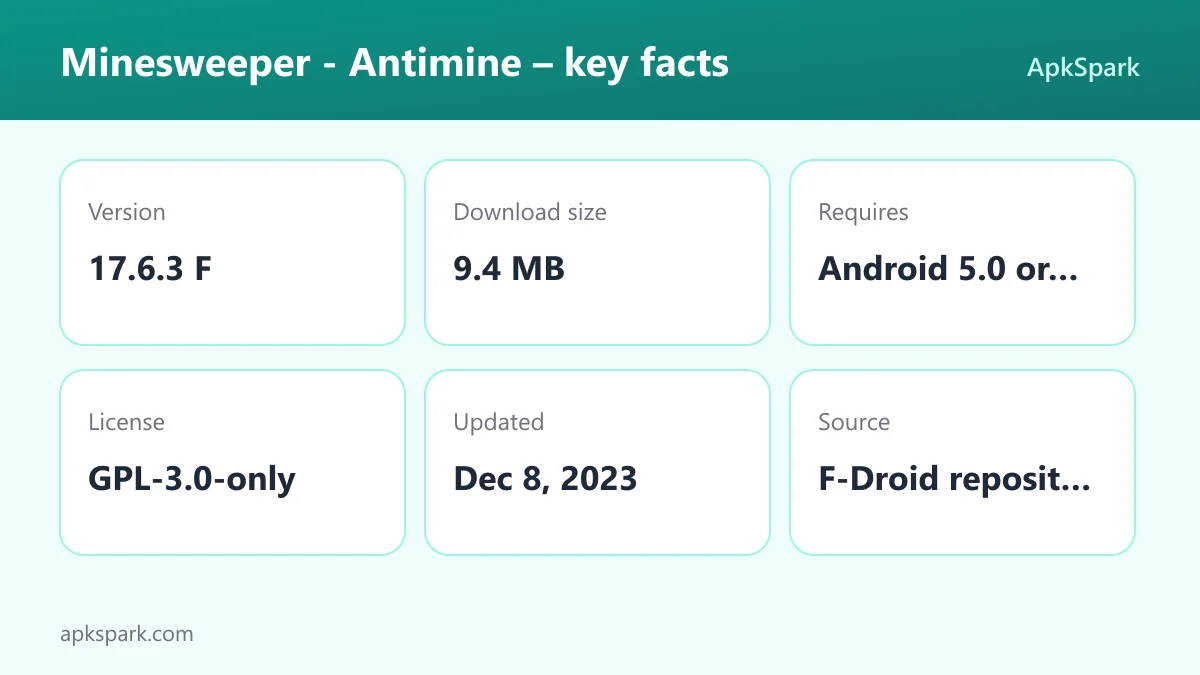
- Minimum Android version: Android 5.0.
- Download size: 9.4 MB.
- Supported ABIs: arm64-v8a, armeabi-v7a, x86 and x86_64.
- Version: 17.6.3 F.
- Release date: December 8, 2023.
The Android 5.0 minimum means this Minesweeper build runs on very old phones as well as current ones. RAM requirements are not documented. One small inconsistency is worth knowing: the description mentions an app size of less than 9MB, while the current F-Droid download is 9.4 MB. Either way, it takes little space.
Who should use Minesweeper?
This Minesweeper version is for players who enjoy the classic puzzle but dislike losing to forced guesses. If you have ever cleared most of an Expert board only to face a 50-50 choice at the end, the no-guessing generator removes that frustration.
It also works well for newcomers. The tutorial level and optional Tips explain the rules, the progressive mode raises difficulty gradually, and the game assistant handles routine flagging. Experienced players can skip all of that, jump into Expert or a custom level, and use statistics to track their progress.
Because the game is offline, open source and uses only the vibration permission, it suits people who want a small puzzle game with no network access. The Android 5.0 minimum makes it a good choice for an older spare phone or tablet.
It is also a sensible pick for anyone who plays in short bursts. Auto-save means a Minesweeper board can be left half-finished during a commute and picked up later, and the custom level lets you build a small board for a two-minute break or a large one for a longer session.
Basic Minesweeper strategy
If you are new to Minesweeper, a handful of patterns will solve most of a Beginner or Intermediate board. They apply to any version of the puzzle, and Antimine makes them reliable because its boards never require a guess.
- Start in the open: Your first tap usually opens a cluster of empty squares. Work outward from the edge of that cluster, where numbers touch covered squares.
- Count the covered neighbors: If a number equals the count of covered squares around it, all of those squares are mines. Flag them.
- Clear satisfied numbers: If a number already has that many flags around it, every other covered neighbor is safe. Open them.
- Look for the 1-2-1 pattern: Along a straight edge, a 1-2-1 row of numbers means the squares touching the two 1s are mines and the one touching the 2 is safe. This pattern appears often on Expert boards.
- Use the mine counter as a last check: Near the end of a board, compare the remaining mine count with the covered squares left. It often settles the final few squares.
In classic Minesweeper these patterns sometimes run out and you have to guess. In this version, a deduction always exists, so if no pattern seems to apply, scan the board again.
Why no-guessing Minesweeper plays differently
In a random Minesweeper board, an Expert game can end in a forced 50-50 choice, which turns a long, careful game into a coin toss. Many players stop trusting the numbers and start clicking quickly instead.
Antimine removes that problem at the source. Because the algorithm only produces solvable minefields, every loss traces back to a misread number or a misplaced tap. That changes how you play: you can slow down, double-check, and treat each board as a full logic puzzle. It also makes statistics more meaningful, since your win rate reflects skill rather than luck.
A typical round of Minesweeper
You open the app and choose a level, say Intermediate. The first square you open reveals a patch of empty and numbered squares. You study the numbers along the edge: a 1 next to a single covered square means that square is a mine, so you flag it with your chosen control, such as a long press.
As you work, the game assistant flags squares that you have already isolated, which keeps the board tidy. When a number already has all its mines flagged, every other neighbor is safe to open. You repeat this chain of deductions across the board.
If you need to stop, you close the app; auto-save keeps the board, and you continue later. When the last mine is flagged, the round ends and your result goes into statistics. In progressive mode, the next board is a step harder.
Tips for getting started with Minesweeper
- Pick your control scheme first: Open settings and choose between the four control schemes before your first serious game. If you often open squares by accident, switch to the scheme where a long press flags and a tap opens, or the reverse.
- Play the tutorial once: Even if you know the rules, the tutorial level shows how this version handles flags and opening squares. Turn on Tips in settings if you want extra guidance during early games.
- Use progressive mode for practice: Rather than jumping straight to Expert, let progressive mode raise the difficulty as you win. It is a structured way to build skill.
- Decide how much help you want: The game assistant and help options save time, but you can turn them down if you want to do every deduction yourself.
- Choose a theme for your screen: On an OLED phone, try the AMOLED theme. With more than 15 themes, it is worth checking a few to find the one with the clearest numbers for you.
- Trust the logic: Since every field is solvable without guessing, when you feel stuck, look again. There is always a safe square or a certain mine somewhere on the board.
Limitations to keep in mind
The current F-Droid build is version 17.6.3 F, released December 8, 2023, so it is not a recent release. The description says more themes will be added, but no timeline is documented.
Achievements and leaderboards appear in the description, yet how they work in this F-Droid build is not documented. If online goals matter to you, check the source repository. Everything else, including play, statistics and auto-save, works offline.
The description also does not document board sizes or mine counts for the Beginner, Intermediate and Expert levels, so if you want a specific grid, the custom level is the way to set it. Finally, the game is a single-player puzzle. Leaderboards are the only social element mentioned, and there is no documented multiplayer or head-to-head mode.
Alternatives to Minesweeper
ApkSpark does not list related apps for this Minesweeper game yet. To compare it with other logic games, browse more Puzzle apps in our catalog and look at whether each one works offline, what permissions it asks for and which Android version it needs.
You can also see other titles by the same developer on the Lucas Nunes developer page. When comparing, the points worth checking are the no-guessing generator, the custom level option and the fact that this build asks only for vibration control.
Final verdict
Minesweeper - Antimine is a clean, lightweight version of the classic puzzle with one standout feature: minefields that never force a guess. Add the progressive mode, custom levels, more than 15 themes, a game assistant and four control schemes, and it covers both casual and serious players.
It is open source, built by F-Droid, works offline and uses only the vibration permission. The main drawback is that the current build dates from December 2023. If you want a fair, ad-free Minesweeper that runs even on old Android devices, this is a strong choice.