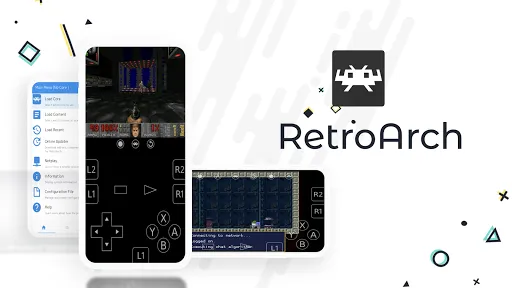


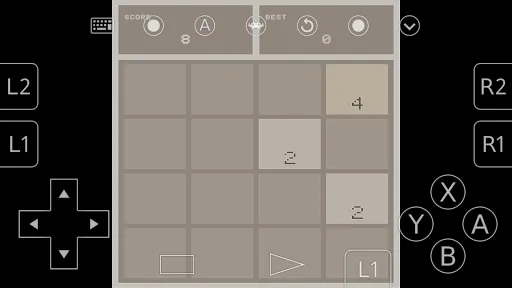

RetroArch is an open-source frontend for emulators, games and multimedia programs, built on the Libretro development interface and offered here as the F-Droid build for Android. Instead of being a single emulator, it runs separate programs called cores, which you download from inside the app. The project describes more than 80 of them.
Around those cores, the app gives you a shared menu system, game collections built by scanning your files, input remapping, cheats, screenshots, save states and online multiplayer through NetPlay. The developer, libretro, states that it has no DRM, no ads and no usage restrictions.
The version on this page is 1.22.2, released on 2025-11-22. It is a 30.9 MB download and supports Android 4.1 or newer, so it also runs on older devices.

What is RetroArch?
RetroArch is the reference application for Libretro. Libretro is an interface that lets developers build cross-platform programs that use features such as OpenGL, camera support and location support. Emulators, games and multimedia programs written for Libretro are packaged as cores, and RetroArch loads and runs them.
That design is why RetroArch feels different from a typical emulator app. You install one frontend, then add only the cores you want. The same menus, controls, save states and settings work across every core, so learning the app once covers many systems.
The developer calls it a "one-stop-shop" for entertainment, because it comes with its own collection of programs. That includes an exclusive Game & Watch emulator, along with downloadable Game & Watch games to play with it.
The project is developed in the open. Its source code, issue tracker and changelog are on GitHub, and the main project site is libretro.com.
Key features of RetroArch
- Downloadable cores: Download programs called cores from inside the app. The project lists over 80 cores, covering emulators, games and multimedia programs. You choose which ones to install, so the base app stays small.
- Game collections: Scan files and directories on your device, and RetroArch adds recognized content to collections grouped by game system. Once a game is in a collection, you can view database information about it.
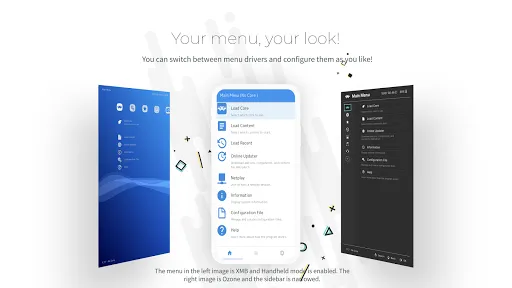
- Choice of menus: The description promises several "eye-candy" menu styles to choose from. You can switch between them and pick the look and layout that suits your device and how you navigate.
- Online updater: The app lets you "update everything" from within it. That covers cores and other downloadable parts of the app, so you can keep things current without reinstalling.
- Game & Watch emulator: Download Game & Watch games and play them with the project's own Game & Watch emulator, which the developer describes as exclusive to the app.
- Input remapping: Built-in input remapping and the ability to remap controls let you change which button does what. This matters on touch screens and when you connect different controllers.
- Cheats: Enter and load cheats for supported content. This is part of the frontend, so it is available across cores that support it rather than being a feature of only one emulator.
- NetPlay multiplayer: Play multiplayer games online with NetPlay. The project runs a Discord community for support and NetPlay matchmaking, which helps you find people to play with.
- Screenshots and save states: Take screenshots and create save states, which store the exact moment of a game so you can return to it later. These work through the shared frontend.
- Multi-language support: The interface supports multiple languages, so you can use it in a language other than English.

RetroArch permissions explained
The F-Droid build requests four permissions. On Android 6.0 and newer, sensitive permissions such as storage access are requested at runtime, so the app asks before using them. On older Android versions, which this build also supports, permissions are granted at install time.
- Write storage: Lets the app save and modify files in shared storage. Features such as save states, screenshots and storing downloaded content are documented, and writing to shared storage is the likely reason, though the project does not tie this permission to a specific feature.
- Read storage: Lets the app read files in shared storage. This fits the documented feature of scanning files and directories to build game collections, since the app needs to read the folders you point it at.
- Internet access: Lets the app connect to the internet. It is needed for documented online features: downloading cores, updating content, downloading Game & Watch games, and playing multiplayer with NetPlay.
- Control vibration: Lets the app make the device vibrate. The feature that uses it is not documented.
Internet access and vibration are normal permissions, granted without a prompt. The two storage permissions are sensitive and will show a system dialog when the app first needs them.

How to download and install RetroArch APK
- Tap the Download button on this page.
- When Android asks, allow installs from your browser (the setting is usually called "Install unknown apps").
- Open the downloaded file from your notifications or your Downloads folder.
- Tap Install and wait for Android to finish.
- Open the app from your home screen or app drawer.
The APK is 30.9 MB, but cores are downloaded separately after installation, so plan for more data and storage over time. If you run into an install error, our guide to installing APK files explains the settings and common fixes step by step.

Is RetroArch safe?
RetroArch is released under the GPL-3.0-only license. It is a free software license: the code can be read, modified and shared, as long as changes are released under the same license. The full source is on GitHub, and the developer states that the app has no DRM, no ads and no spying.
The APK offered here is the F-Droid build. F-Droid builds this APK from the published source code and signs it with the F-Droid key. The file is downloaded from the official f-droid.org repository. Package details are on the RetroArch F-Droid listing.
F-Droid flags one anti-feature for this app: NonFreeNet, meaning it relies on a non-free network service. F-Droid does not say which service. In general, this label means some online part of the app connects to a service whose code is not free software. The offline parts of the app, such as playing content you already have, are not affected by this label.
Because the F-Droid key signs the file, Android will not install it over a copy signed by a different key. If you already have the app from another source, back up your saves and settings, uninstall the old copy, then install this one.
Bug reports go to the public issue tracker, and release notes are in the project's changelog.
RetroArch system requirements
- Minimum Android version: Android 4.1
- Download size: 30.9 MB
- Supported ABIs: arm64-v8a, armeabi-v7a, x86 and x86_64
- Version: 1.22.2
- Release date: 2025-11-22
The four ABIs cover modern 64-bit ARM phones, older 32-bit ARM devices and x86 hardware. RAM, storage and GPU requirements are not documented. Requirements also depend on the cores you install, since each core is a separate program, and the project does not publish per-core hardware needs.
What Libretro means for RetroArch
Libretro is the development interface underneath RetroArch. It lets developers make cross-platform applications that use rich features such as OpenGL, cross-platform camera support and location support, with more planned. A program written against Libretro can run anywhere a Libretro frontend runs.
For users, the practical effect is consistency. The same frontend handles many different cores, so you do not have to learn a new menu, control scheme or save system for each one. The developer also notes that Libretro and RetroArch suit people who want to create games, emulators and multimedia programs, not only play them.
The project's camera and location support belong to Libretro as an interface. The Android build on this page does not request camera or location permissions, so those features are not in use here.
Controls, cheats and saves in RetroArch
Much of what makes RetroArch useful day to day lives in the shared frontend. Built-in input remapping and the ability to remap controls let you set buttons once and adjust them when you change devices or controllers.
Cheats can be entered directly or loaded, so you are not limited to typing every code yourself. Screenshots capture a frame of the game, and save states capture the whole state so you can resume at that exact moment. The description also mentions "and more" alongside these tools, without listing further details.
Because these features sit in the frontend rather than in one emulator, they are available across the cores that support them.
Community and documentation for RetroArch
The developer points users to several places for help. There is a Discord server for support and NetPlay matchmaking, YouTube channels with tutorials, gameplay, news and development progress, and a documentation site for information and help. The main project website is libretro.com.
For bugs, the public issue tracker on GitHub is the right place, and the changelog lists what changed in each release.
How cores work in RetroArch
Cores are the heart of RetroArch. A core is a program built for the Libretro interface. It might be an emulator, a game or a multimedia program. RetroArch itself provides the menus, input handling, save states, screenshots and other shared tools, while the core does the work specific to that program.
You download cores online from inside the app. The project lists over 80 of them. Because each one is optional, you only spend storage on what you use.
When you load content, it runs inside the core you choose for it. Since the frontend is shared, features such as remapping, cheats and save states behave in a consistent way across cores that support them. The updater can then keep both the app's downloadable parts and your cores up to date.
A walkthrough of a typical first setup
Here is how a first session usually goes, based on the documented features. After installing RetroArch, you open it and pick a menu style you like. Then you use the online downloader to fetch the core you need.
Next, you scan a folder on your device that holds content you own. RetroArch reads it and adds what it recognizes to a collection for each system. You can open each entry and view its database information.
You start a game and open the menu to remap controls if the default layout does not suit you. Before a hard section, you create a save state so you can return to that exact point. If you want to play with a friend online, you set up a NetPlay session.
Documented limits and things to know
RetroArch does not include games for other systems. Apart from the Game & Watch games offered through the app, you supply your own content, and you are responsible for only using files you have the right to use.
Cores are separate downloads, so the 30.9 MB install is only the start. Your total storage use grows with each core and each game you add.
The NonFreeNet label means at least one online feature relies on a non-free network service. If that matters to you, keep in mind that online parts such as downloads and NetPlay involve network services, while playing content already on your device does not need a connection.
On the other side of the ledger, the developer lists no DRM, no restrictions on usage, no push ads, no spying and no ads at all, and the code is published under the GPL. For people who value privacy and openness, that stated approach balances the NonFreeNet caveat.
Who should use RetroArch?
RetroArch suits people who want a single app for many emulators and programs. If you already juggle several emulator apps, moving to one frontend with shared menus, controls and save states can make things simpler. Once you learn the menus, adding a new system is just a matter of downloading another core.
It also fits players who like to customize. Input remapping, a choice of menus, cheats and per-game collections give you a lot of control, and NetPlay adds online multiplayer on top. The project's Discord community helps with NetPlay matchmaking, which is useful if you do not have a friend ready to join a session.
Finally, it is a good option for people with older hardware. With support for Android 4.1 and four ABIs, the app can run on devices that are several Android versions old. Keep in mind that how well a given core runs depends on your hardware.
Tips for getting started with RetroArch
- Download only the cores you need: Start with one core for the content you actually plan to use. Adding cores later is easy, and keeping the list short saves storage and makes the menus easier to navigate.
- Scan a dedicated folder: Keep your own content in one folder and scan that folder. The app adds what it recognizes to collections by system, so a tidy folder makes the collections easier to browse.
- Remap controls early: Use the built-in input remapping before you get deep into a game. Setting up controls that feel right on your touchscreen or controller avoids frustration later.
- Make save states before hard sections: Save states store the exact moment of play. Creating one before a difficult part lets you retry without replaying from the start.
- Use the updater regularly: The app can update everything from inside it. Running updates keeps cores and other downloadable parts current without reinstalling the whole app.
- Try the Game & Watch emulator: If you want something to play right away, download the Game & Watch games offered through the app and play them with the built-in emulator.
Alternatives to RetroArch
ApkSpark does not list related apps for this title yet. You can browse more Emulators apps to compare other options in the same category, and the libretro developer page collects other projects from the same team.
When comparing, look at the license, the permission list and any anti-features F-Droid reports. Every app page on this site shows those details in the same format.
Final verdict
RetroArch is a flexible, open-source frontend that turns one install into a home for more than 80 downloadable cores. Shared menus, remapping, cheats, save states, screenshots and NetPlay work across those cores, and it runs on Android 4.1 or newer.
It is worth installing if you want one app for many systems and do not mind some setup. Keep in mind that F-Droid flags the NonFreeNet anti-feature, and that cores and content take extra storage beyond the 30.9 MB download.