

Randomix is a small, free Android app that makes random choices for you in four ways: a roulette that picks from a list, a coin flip, a dice roll and a Magic Ball that answers questions. It is meant for everyday moments, like deciding who starts a board game or where a group should eat.
The app is developed by minar, released under the MIT license and built by F-Droid from public source code. It started as a demo of Android features, so it also shows off animated vector drawables, a full light theme, Material You support and themed icons. The developer describes the design as personal, following the Android guidelines only partially.
Below you will find what each mode does, the one permission the app uses, installation steps, system requirements and some practical tips.

What is Randomix?
Randomix is a decision maker. Each tab in the bottom navigation bar holds one type of random choice, so you can switch between the roulette, the coin, the dice and the Magic Ball with a single tap. The result appears with animations, and you can launch a choice by shaking the phone instead of tapping.
The description offers a few examples. During a table game you might need to throw a dice, flip a coin or choose which player starts, and the app handles all three. If friends cannot agree on a place to eat, Randomix lets you put the options in the roulette and spin it. Developers who are just starting out can also look at the source code for ideas, since the app was written as a training project.
It is listed in the Board & Card category here, which fits its use as a helper during tabletop games. It is not a card game itself and does not include any card game rules; it is a randomizer.
Randomix was written in the developer's free time, with a Russian translation by BValeo and a French translation by Firokat. A first-time introduction explains the basics when you open it.
Key features of Randomix
Roulette: Enter a list of options and spin to select one. Recent options are saved automatically and can be restored, so you do not need to retype the same list each time. An option to allow equal entries lets the same item appear more than once in a list.
Roulette presets: Ready-made presets include the numbers 1 to 100 and the letters. They are handy for picking a random number for a game, drawing a letter for a word game, or choosing a page or question at random.
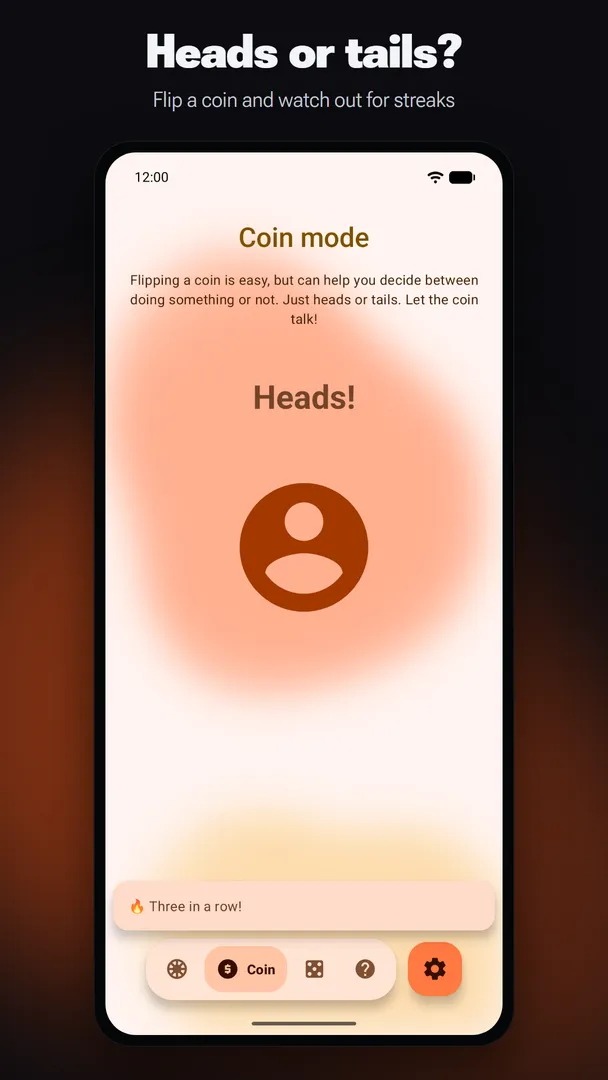
Coin flip: The coin tab simply flips a coin and shows the result. It is the quickest way to settle a two-way decision or decide who goes first in a two-player game.
Dice with multiple types: Throw up to 10 dice at once, choose from different dice types, and adjust the dice number. A 3v3 mode is also included. The result is printed on screen, so there is no arguing over a die that rolled under the couch.
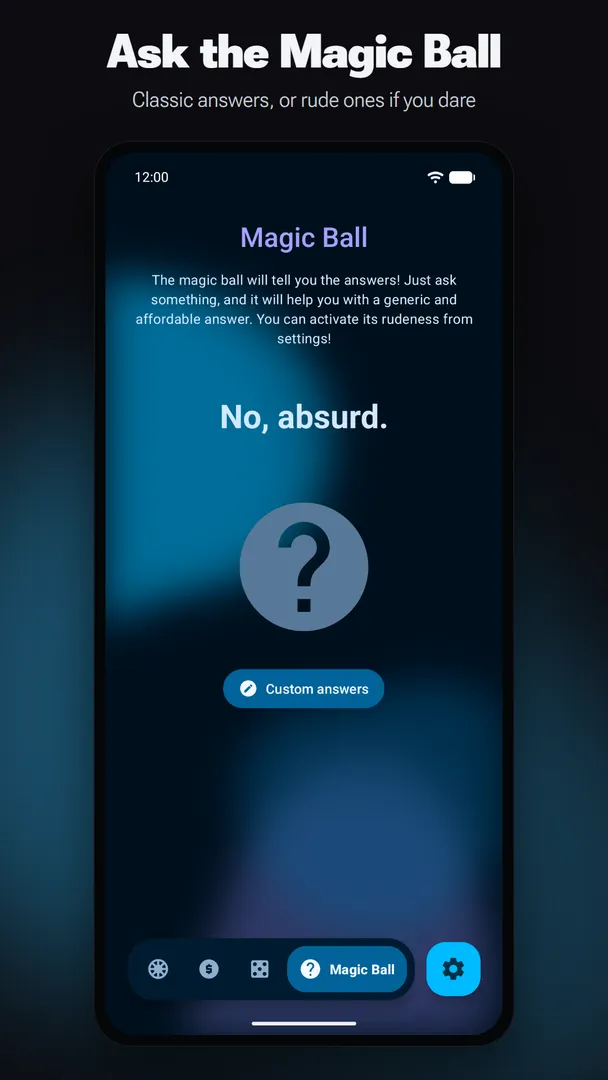
Magic Ball: Ask a question and the Magic Ball gives a randomly chosen answer. An optional set of rude answers is available if you want a cheekier tone among friends.
Shake to launch: You can trigger a random choice by shaking your phone instead of tapping the button. Combined with vibration and sounds, it makes the result feel more like a physical coin or die.
Themes and accents: Choose a light, dark or AMOLED theme, use Material You colors, or select your own accent color. The full light theme and animated vector drawables were among the Android features the app was built to demonstrate.
Android 13 extras: On Android 13 and newer, the app supports per-app language settings and themed icons, so it can follow your home screen icon style and use a language different from the rest of the system.
Multiwindow support: You can run the app in split screen or multiwindow mode, for example next to a score sheet, rules document or chat while you play.
Small and simple: The interface follows the material guidelines with a simple, precise layout. The app includes a first-time introduction and keeps its options in a few clear places.

Randomix permissions explained
Randomix requests a single permission:
- Control vibration: Lets the app make the device vibrate. This supports the documented vibration feedback when a result is shown, and it fits naturally with the shake-to-launch option.
Vibration is a normal permission on Android, so it is granted at install time and you will not see a prompt. On modern Android, sensitive permissions such as camera, location, contacts or storage are requested at runtime. This app does not request any of them.
Notably, there is no internet permission in Randomix. The app cannot connect to the network, which means your roulette lists and choices stay on the device.

How to download and install Randomix APK
Tap the Download button on this page.
When Android asks, allow installs from your browser.
Open the downloaded file.
Tap Install.
Open the app and follow the short introduction.
If you have not installed an APK before, our guide to installing APK files explains every Android prompt along the way, and how to turn off the install permission once you are finished.
To update Randomix later, download the newer APK and install it over the existing one. F-Droid signs each build with the same key, so the update replaces the old version and keeps your settings.

Is Randomix safe?
Randomix is released under the MIT license, a permissive open source license. The full source code is on the Randomix GitHub repository, and you can report problems on the issue tracker. The developer also has an official website.
F-Droid builds this APK from the published source code and signs it with the F-Droid key, and the file is downloaded from the official f-droid.org repository. You can check the package details on the F-Droid listing.
F-Droid lists no anti-features for Randomix, so it has not been flagged for things like ads or tracking. With only the vibration permission and no internet access, the app has very little reach beyond its own screen.
Open source also means you are not relying on promises alone. If you want to know how a result is chosen or what is stored on the device, the code is there to read, and questions can be raised publicly on the issue tracker, where other users can see the answers too.
Randomix system requirements
Minimum Android version: Android 7.0 or newer. Per-app language and themed icons need Android 13.
Download size: 4.1 MB.
Supported ABIs: Universal, so it runs on all device architectures.
Current version: 4.0, released on 2026-10-12.
Network: Not needed; the app has no internet permission.
The description mentions a storage cost of about 3MB, while the current download is 4.1 MB. Either way, it is one of the smallest apps you are likely to install. RAM requirements are not documented. The universal build means the same APK works on phones, tablets and other Android devices regardless of processor type, so there is no need to choose a variant before downloading.
Who should use Randomix?
Board game and tabletop players are a natural fit for Randomix. With up to 10 dice, different dice types, a coin and a roulette for choosing who starts, the app can stand in for a missing die or settle turn order. Multiwindow support lets it sit next to other apps during play.
It is also useful for small everyday decisions. Groups that cannot pick a restaurant, families deciding who does a chore, or anyone stuck between options can spin the roulette. Saved recent lists and the 1 to 100 or letter presets cut down on setup.
Finally, beginning Android developers may find it worthwhile. The developer built it as a demo of Android features, including animated vector drawables, a full light theme and Material You, and the source code is public under the MIT license.
Personalizing Randomix
For a small utility, the app has a surprising number of appearance and feedback options. They were part of its original purpose as a demo of Android features, and they make it easier to use in different settings.
Themes and colors
You can choose between a light theme, a dark theme and an AMOLED theme. The AMOLED option is useful on phones with OLED screens and in dark rooms. Material You support lets the app pick up colors from your system, and if you prefer a fixed look, you can select an accent color yourself.
Language and icon
On Android 13 and newer, you can set the app language separately from the system language through per-app language support. The app also supports themed icons, so its home screen icon can match the rest of your launcher when themed icons are turned on.
Feedback
Vibration and sounds accompany results. Together with the shake to launch option, they give a physical feel to coin flips and dice rolls. If you are using the app in a quiet place, check the sound settings first.
Randomix as a learning project for developers
One of the reasons the developer gives for using the app is unusual: if you are starting to develop Android apps and want a simple project to study, you can open the GitHub link and read the source code.
Randomix was written as a training exercise, and many developers helped the author understand best practices along the way. It demonstrates animated vector drawables, a full light theme, Material You, per-app language support, themed icons and multiwindow support, all in a compact codebase.
The MIT license allows you to read, reuse and adapt the code with very few conditions. That makes the project a reasonable reference if you are learning how these Android features fit together in a real app.
Using Randomix at a game night
Here is how the four modes might fit into a single evening of games, based on what the app documents.
Pick who starts: Put everyone's names into the roulette and spin. The list is saved, so you can restore it for the next game.
Settle a tie: Use the coin tab for any two-way decision, such as which team picks first.
Replace missing dice: Open the dice tab, set the number of dice up to 10 and choose the dice type your game uses.
Lighten the mood: Between rounds, ask the Magic Ball a question. Turn on rude answers only if your group will enjoy them.
Shake to launch and vibration make each result feel more physical, and dark or AMOLED themes are easier on the eyes in a dim room.
Everyday uses for Randomix beyond games
The developer gives three main reasons to use the app: it decides in four different ways, it takes very little storage, and it is simple to use with plenty of animations. Those strengths make it handy well outside game night.
Meals and outings: Add a few restaurants or activities to the roulette and let it choose. The description suggests exactly this for friends who cannot agree on where to eat, and accepting the answer is part of the fun.
Turn order and chores: Put names into the roulette to decide who goes first, who washes up or who picks the next movie. Saved recent lists mean regular groups only type their names once.
Random numbers and letters: The 1 to 100 preset works for quick number draws, and the letters preset suits word games or picking a starting letter for a quiz.
Yes or no questions: The coin works for a strict two-way choice, while the Magic Ball gives a less predictable answer for light-hearted questions.
Because the app has no internet permission, none of these lists or results leave the phone, which some people will appreciate when the roulette holds names of family members or friends.
Limitations of Randomix
Four modes only: The app covers roulette, coin, dice and Magic Ball. Other random tools, such as card draws or team builders, are not listed.
Personal design: The developer notes the design only partly follows the Android guidelines, so the look may differ from other apps on your phone.
Some features need Android 13: Per-app language and themed icons depend on Android 13 or newer, although the app itself runs from Android 7.0.
Limited translations listed: The credits mention Russian and French translations; other languages are not documented.
Tips for getting started with Randomix
Save your common lists: Recent roulette options are stored automatically, so build your usual lists once and restore them later.
Use presets for numbers and letters: The 1 to 100 and letters presets are faster than typing options by hand.
Try shake to launch: Turn it on if you prefer a physical gesture over tapping a button.
Set up the dice before you play: Choose the dice type and count in advance so the next roll is a single action.
Pick a theme: Choose light, dark or AMOLED, set an accent or use Material You so the app matches your phone.
Enable equal options when needed: If you want one choice to appear more often, allow equal options in the roulette.
Alternatives to Randomix
No related apps are listed for this one at the moment. You can browse more Board & Card apps on ApkSpark to find games that might pair well with a dice or coin helper.
When comparing, keep the documented strengths in mind: four random modes, saved roulette lists, up to 10 dice, no internet permission and an MIT license. Other projects by the developer are listed on the minar developer page.
Final verdict
Randomix does one job and keeps it simple. The roulette, coin, dice and Magic Ball cover most quick decisions, and extras like saved lists, presets, shake to launch and up to 10 dice make it practical during board games.
It is open source under MIT, built by F-Droid, asks only for vibration and has no internet access. At 4.1 MB it is an easy install for anyone who regularly needs a fair random pick.